

Introduction: Why Build an E-Commerce Website Today?
Creating an e-commerce website is one of the best ways to start an online business in 2025. Thanks to modern technology and no-code website builders, anyone can launch a professional online store without technical expertise.
Whether you’re selling handmade crafts, digital products, or dropshipping, this step-by-step guide will show you how to build an e-commerce website that looks professional and drives sales
Choose the Right E-Commerce Website Builder
To build an e-commerce website without coding, start with a reliable and user-friendly platform. Here are some top-rated website builders:
- Shopify – Best for serious online sellers
- Wix – Great for beginners with beautiful templates
- Squarespace – Ideal for creative businesses
- BigCommerce – Suitable for scaling stores
Look for features like mobile optimization, SEO tools, secure payment integration, and customizable templates. These platforms are designed to help you launch an online store fast, even with no prior web development experience.
Step 2: Pick a Template and Customize It
Once you’ve chosen a platform, select a professional e-commerce website template. These pre-designed themes are tailored for online stores and can be easily customized without any coding.
Customize:
- Brand colors and logo
- Fonts and layout
- Homepage design
- Navigation menus
Thanks to drag-and-drop website builders, you can create a unique look that matches your brand and product offering.
Step 3: Add Products and Organize Categories
With your design ready, it’s time to add products to your online store. Include:
- High-quality product images
- Keyword-rich product titles
- Compelling descriptions
- Pricing and inventory status
Organize your store with:
- Categories (e.g., Men’s Apparel, Tech Gadgets)
- Filters and tags
- Search-friendly URLs
User-friendly navigation improves the shopping experience and helps Google understand your site structure.
Step 4: Set Up Secure Payment and Shipping Options
To sell products online, your e-commerce site must securely handle transactions. Leading website builders support trusted payment gateways like:
- PayPal
- Stripe
- Credit/Debit Cards
- Apple Pay / Google Pay
Also configure shipping options by weight, location, or flat rate to give customers flexibility.
Make sure your checkout process is fast and secure to reduce cart abandonment.
Step 5: Optimize Your E-Commerce Site for SEO
Building a site is just the beginning — now you need search engine optimization (SEO) to attract traffic.
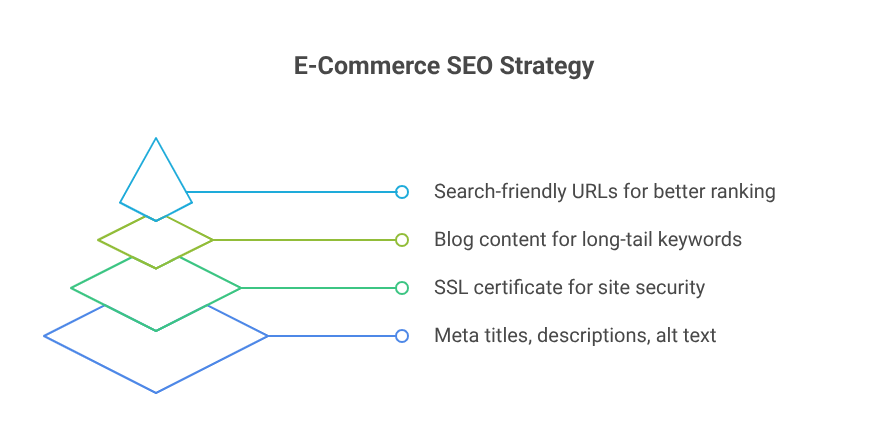
Key SEO tasks:
- Add meta titles and meta descriptions to product and category pages
- Use alt text for images
- Create search-friendly URLs
- Install SSL certificate for site security
- Publish helpful blog content for long-tail keywords
Many e-commerce platforms like Shopify and Wix offer built-in SEO tools to help your site rank on Google.
tep 6: Launch and Promote Your Online Store
Once your e-commerce website is complete and tested, it’s time to launch! Use these digital marketing strategies to attract customers:
- Social Media Marketing (Facebook, Instagram, Pinterest)
- Email Marketing (welcome offers, cart recovery, newsletters)
- Paid Ads (Google Shopping, Facebook Ads)
- Influencer Collaborations
- Affiliate Programs
Monitor performance with tools like Google Analytics and built-in dashboard reports to fine-tune your growth strategy.
Final Tips for E-Commerce Success
- Start simple, then scale
- Keep your design clean and mobile-friendly
- Offer fast support and easy returns
- Collect customer reviews and testimonials
- Keep optimizing based on analytics